Before looking at CVEs, I want to slow down and answer a simpler question first: what exactly are we attacking when we say “OpenBMC”?
At first glance, OpenBMC can look like just another admin web interface. But that view is too small. A BMC is a small computer sitting next to the host system. It can monitor sensors, control power, expose remote console access, update firmware, and keep working even when the host OS is dead. So if an attacker controls the BMC, they are not just popping a random web service. They are standing very close to the hardware control plane.
This part is a map. Nothing too fancy yet. We will walk through the architecture, the main entry points, why D-Bus shows up everywhere, and how to build a small QEMU lab for safer testing.
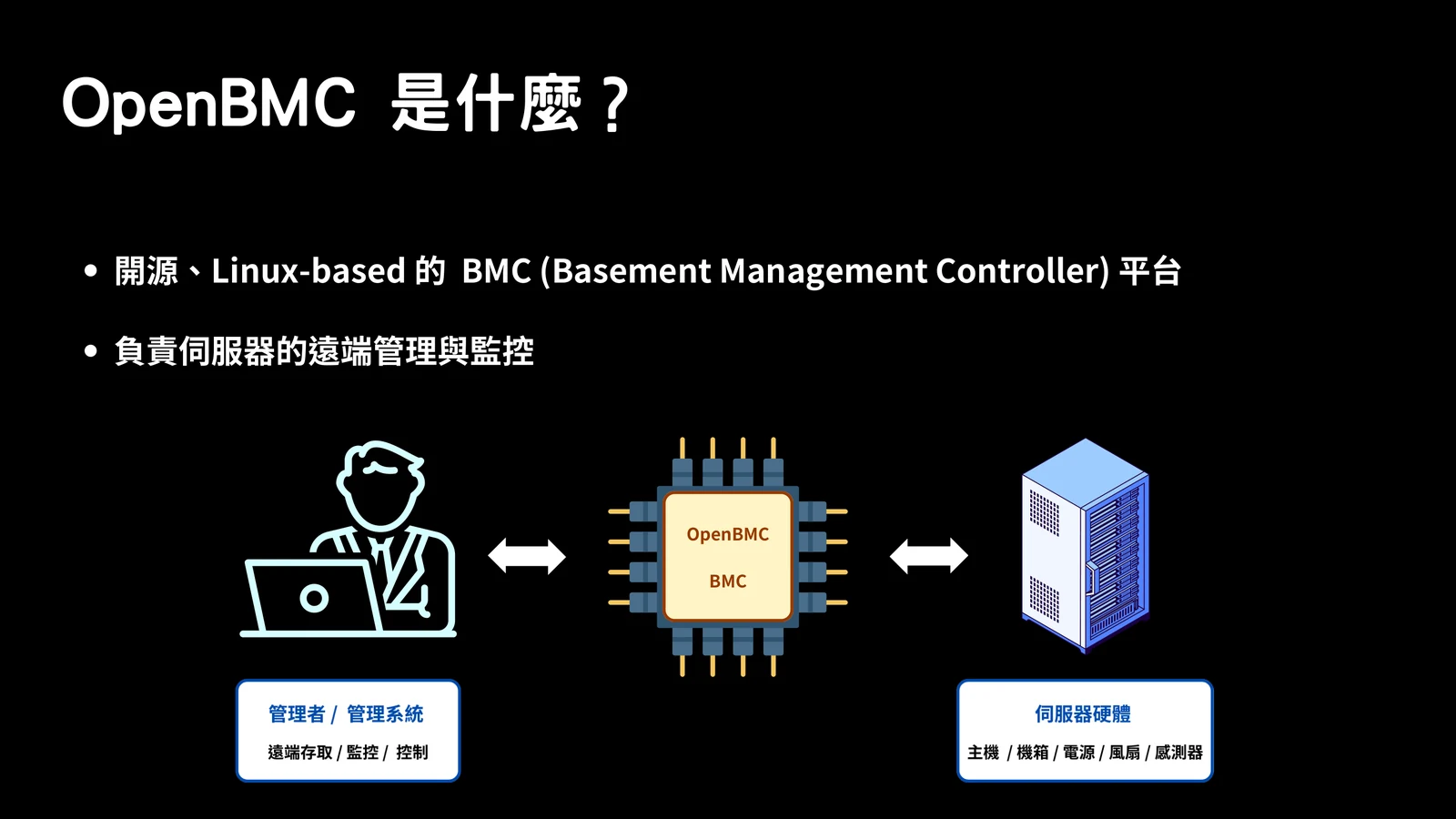
Big Picture
The easiest way to reason about OpenBMC security is to split it into layers. When a request comes in from the network, it usually does not stop at the first daemon. It moves from an external interface, into userspace services, through D-Bus, and sometimes all the way down to kernel drivers and hardware buses.
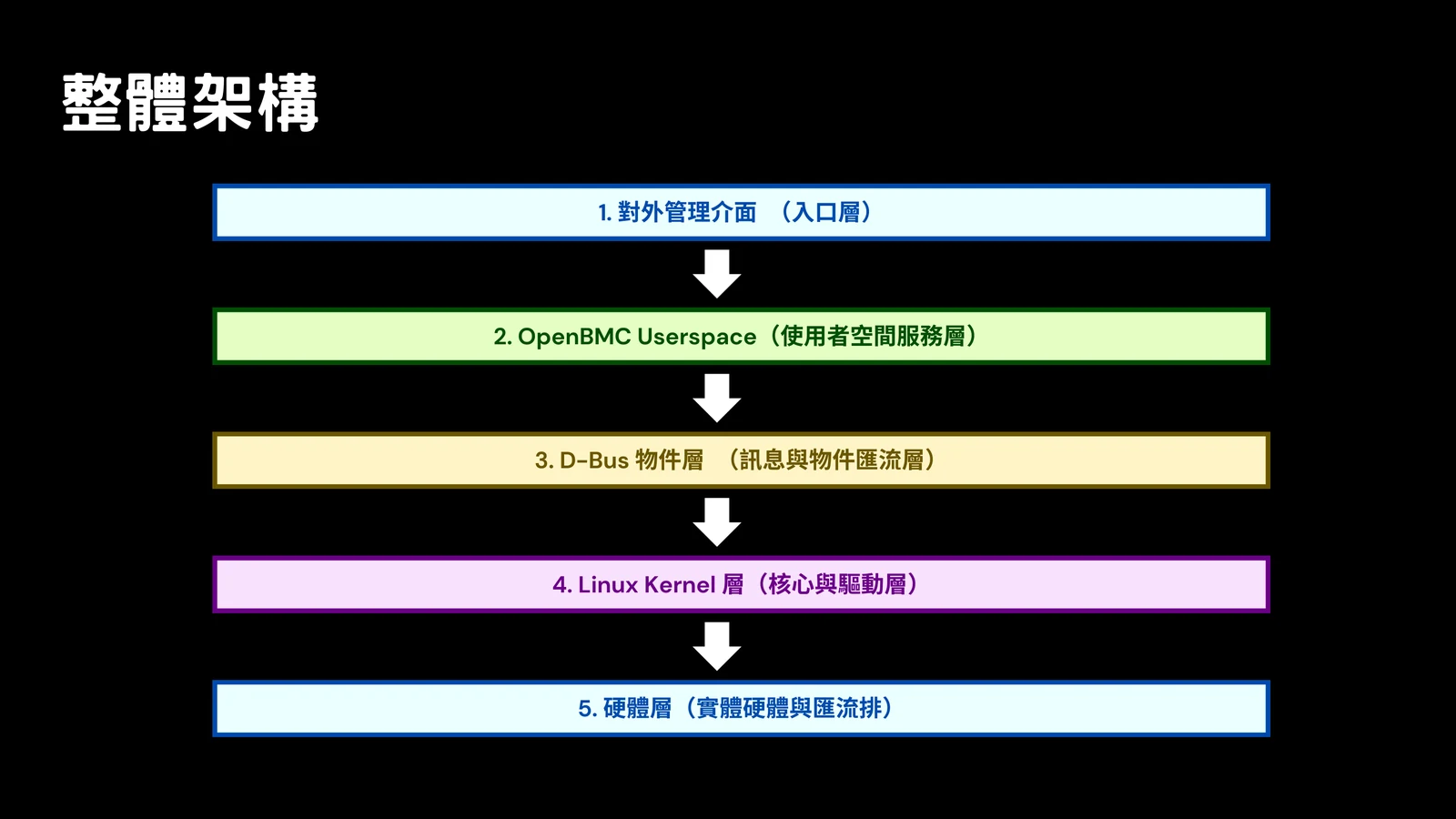
Here is the same idea in text form.
| Layer | Typical components | Why I care about it |
|---|---|---|
| External management interfaces | Redfish, WebUI, IPMI, SSH, Serial over LAN, KVM | This is where remote input enters the BMC. Parser bugs and auth mistakes usually start here. |
| OpenBMC userspace services | bmcweb, phosphor-ipmi-net, phosphor-host-ipmid, dbus-sensors, entity-manager, phosphor-state-manager, phosphor-logging, account and firmware services | This is where most policy and business logic lives. A crash here can take down management features. |
| D-Bus object layer | service names, object paths, interfaces, methods, properties, signals | This is the internal message bus. External APIs often become D-Bus calls. |
| Linux kernel and drivers | network stack, hwmon, MTD, JFFS2/UBIFS, GPIO, I2C, SPI, LPC, KCS, PECI | This is where userspace starts touching real devices and buses. |
| Hardware layer | ASPEED SoC, ARM CPU, RAM, SPI flash, NIC, sensors, fans, PSUs, GPIO, I2C, LPC, UART | This is the real reason BMC compromise matters. The BMC is attached to platform hardware. |
The practical lesson is simple: do not review a BMC bug like a normal web app bug. A Redfish request might eventually become a power action, firmware operation, or low-level hardware interaction.
Entry Points
The first place I look is the network-facing surface. OpenBMC exposes several interfaces because different administrators and automation systems need different ways to manage the machine.
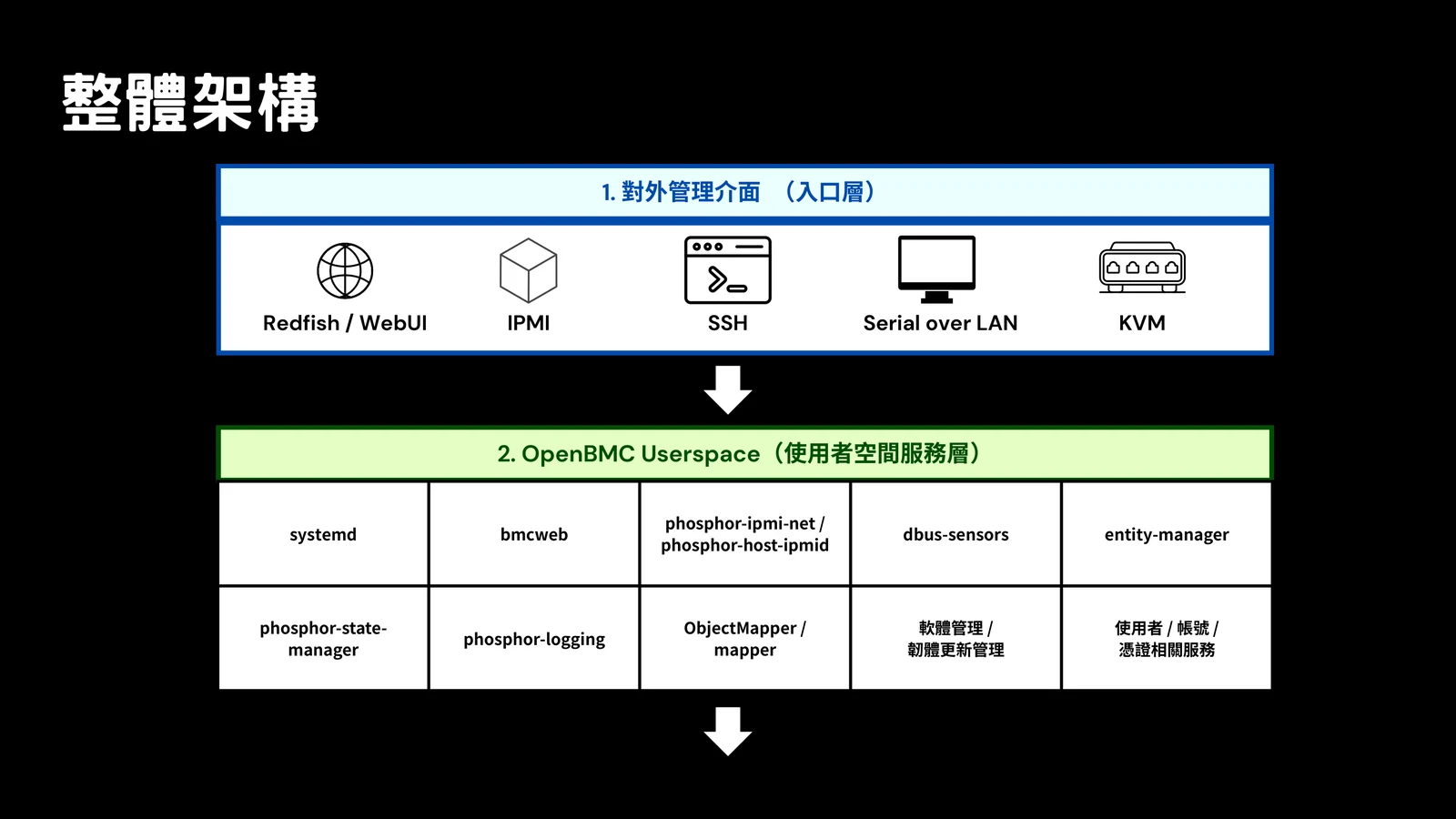
The common ones are:
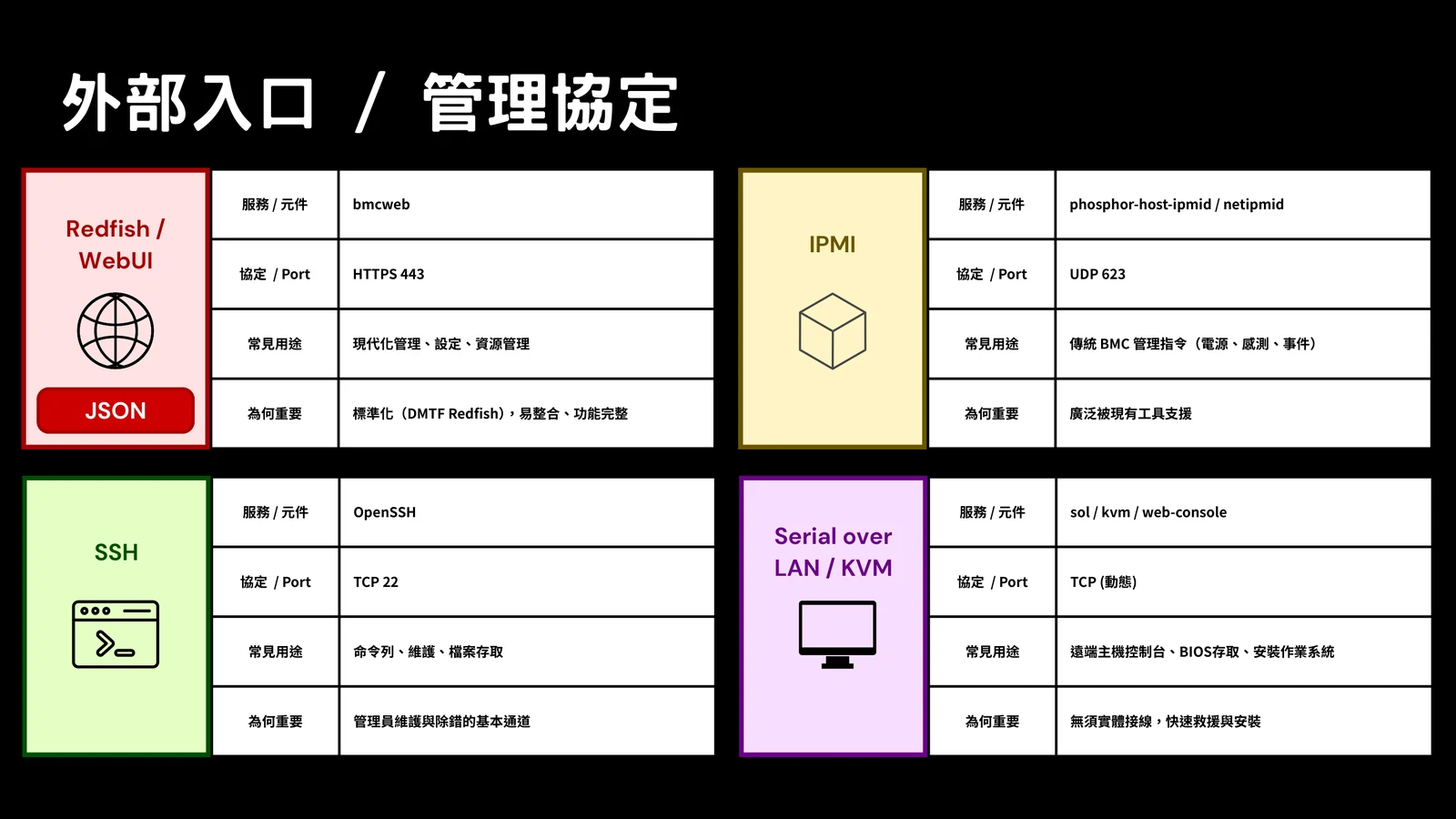
| Interface | Common component | Common port | What it is used for |
|---|---|---|---|
| Redfish and WebUI | bmcweb | HTTPS 443 | Modern management API, web interface, inventory, settings, firmware workflows |
| IPMI over LAN | phosphor-ipmi-net, phosphor-host-ipmid | UDP 623 | Traditional power, sensor, and event commands |
| SSH | OpenSSH | TCP 22 | Shell access, maintenance, debugging, file transfer |
| Serial over LAN and KVM | SOL/KVM/web-console services | dynamic or proxied | Remote console, BIOS access, OS installation and recovery |
Redfish is nice because it is standardized and easy to automate. IPMI is old, but still everywhere. SSH is useful, but it is a direct administrative path. KVM and Serial over LAN are powerful because they may expose pre-boot workflows.
My default assumption is that all of these belong on a management network only. If a BMC interface is reachable from the public internet or from a normal user VLAN, the architecture is already in a bad state before we even talk about CVEs.
Userspace Services
This is the layer where names start to matter. bmcweb handles Redfish and the WebUI. IPMI traffic goes through phosphor IPMI services. Sensors, inventory, state changes, logging, and firmware updates are each handled by their own services.
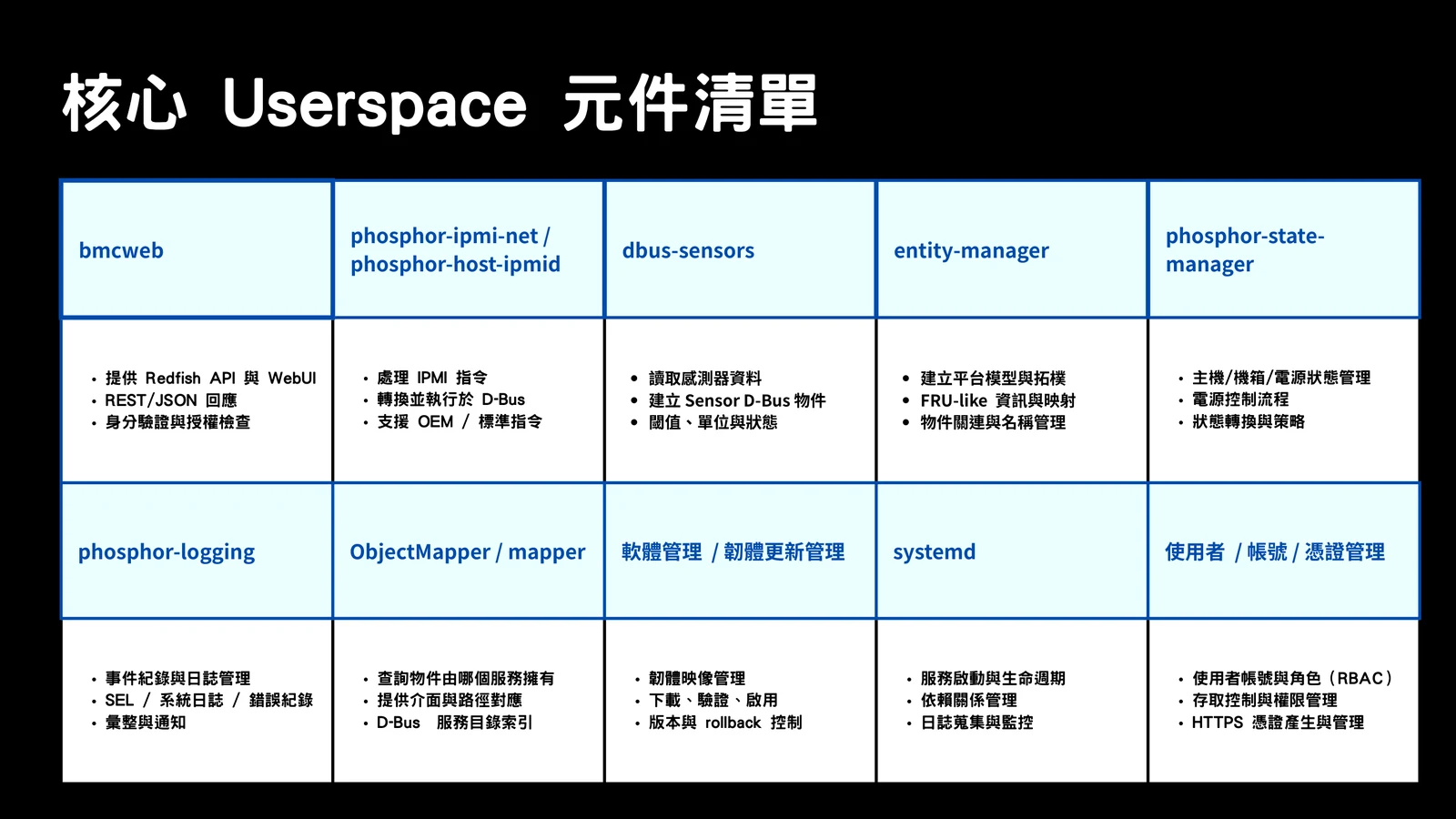
The important part is not memorizing every daemon name. The important part is knowing that OpenBMC is a set of cooperating services. If I send a Redfish request to get sensor data, bmcweb probably does not own the sensor itself. It has to ask the service that exposes that sensor object.
That is where D-Bus comes in.
D-Bus Is The Middle Of The Story
When I first learned OpenBMC, D-Bus felt like background plumbing. After looking at real request paths, it becomes much more central. D-Bus is how services discover each other, expose objects, read properties, call methods, and publish state changes.
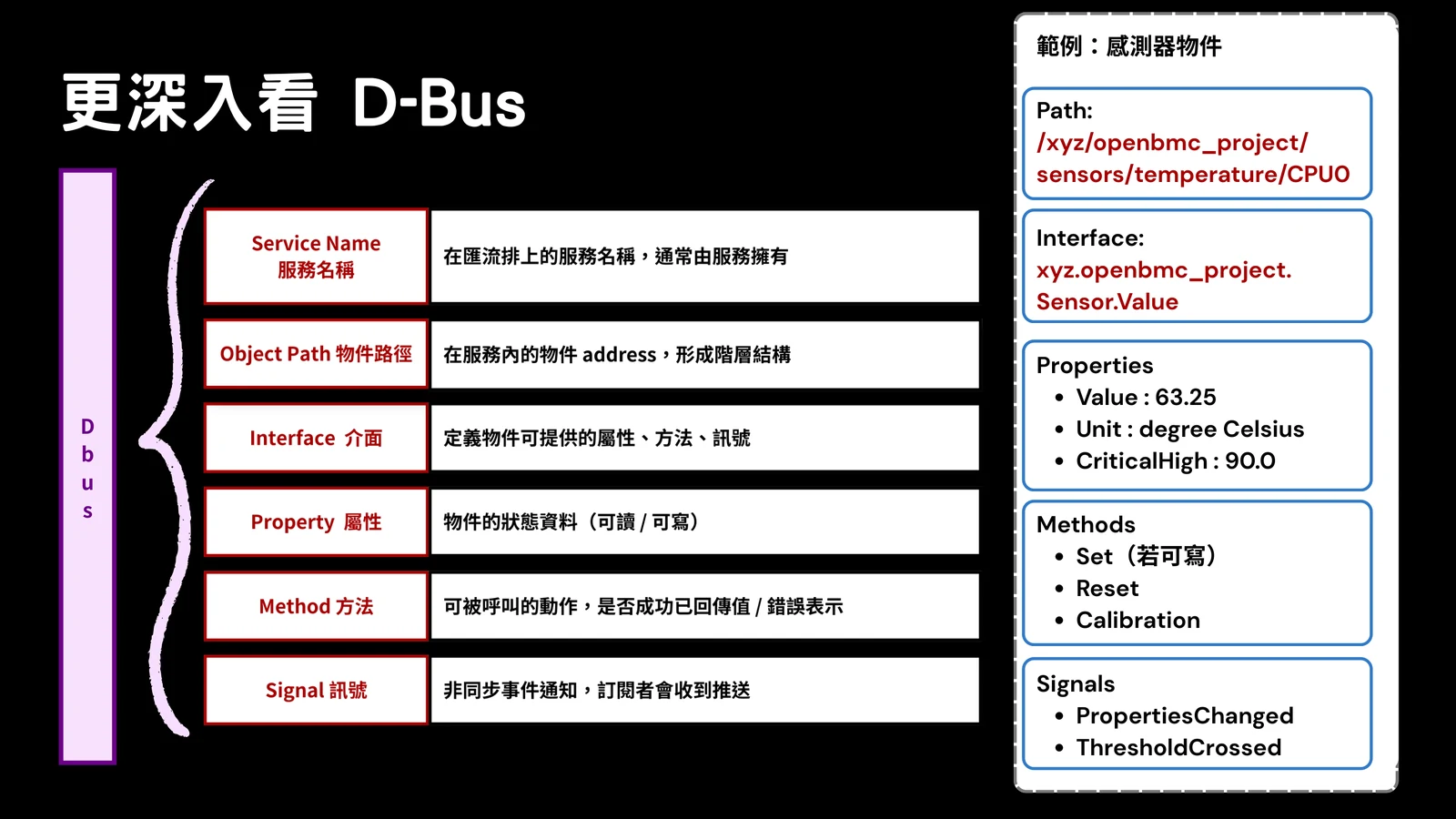
A temperature sensor may be represented like this:
/xyz/openbmc_project/sensors/temperature/CPU0It may implement:
xyz.openbmc_project.Sensor.ValueAnd expose properties such as:
Value: 63.25
Unit: degree Celsius
CriticalHigh: 90.0
From the outside, a Redfish client sees JSON. Inside the BMC, bmcweb maps that request into D-Bus object lookups and property reads. IPMI follows the same general idea: a network command enters an IPMI service, then internal platform state is queried or changed.
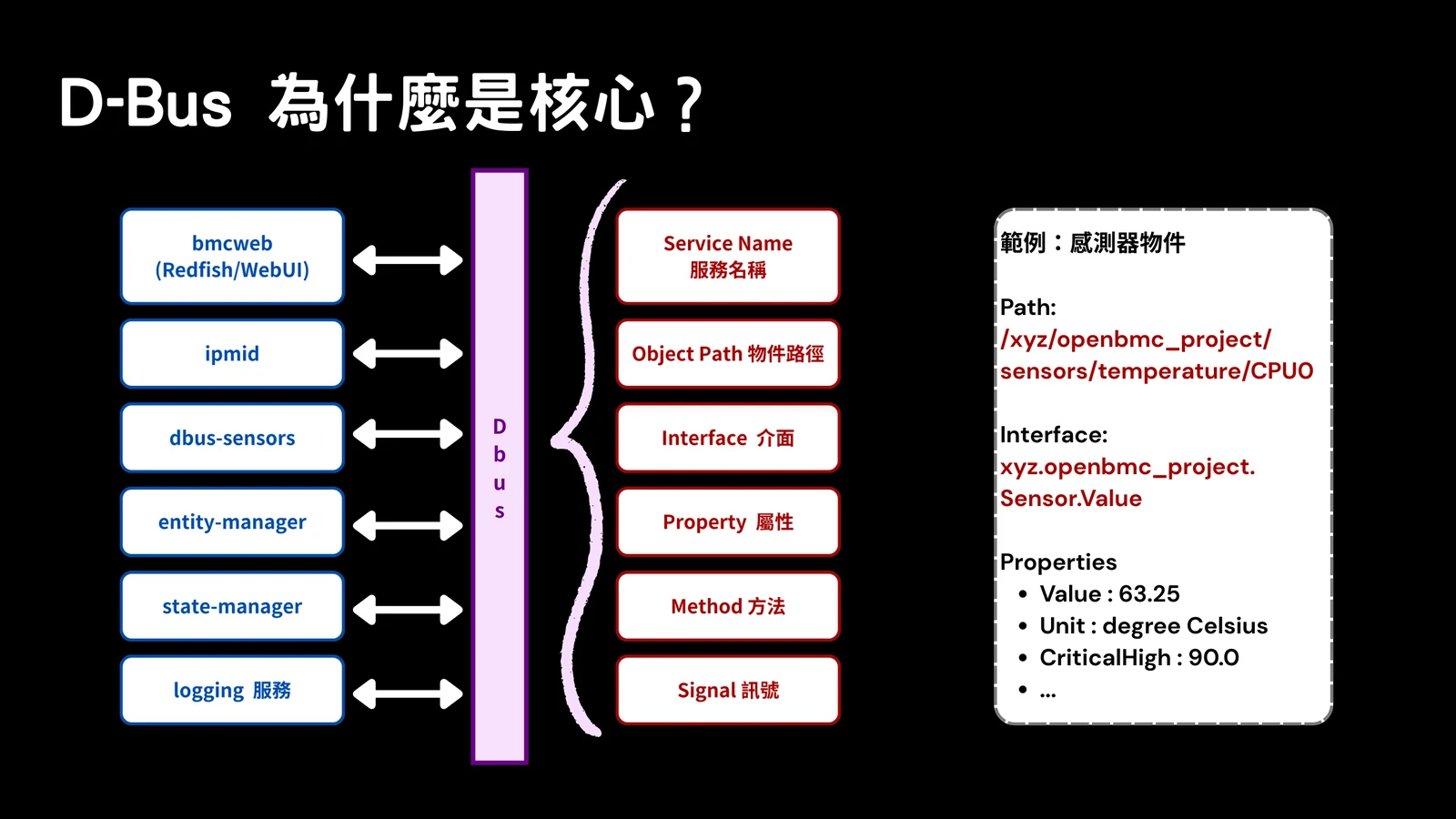
So when reviewing an OpenBMC path, I like to ask:
- Which external route accepts the request?
- Which service parses it?
- Which D-Bus object does it touch?
- Which method or property is reachable?
- Where is authorization actually enforced?
- What happens if the external parser passes weird values into the internal method?
That last question is where many interesting bugs begin.
Request Flows
The slide deck includes several flow diagrams. They are useful because they show that the protocol is only the first part of the journey.
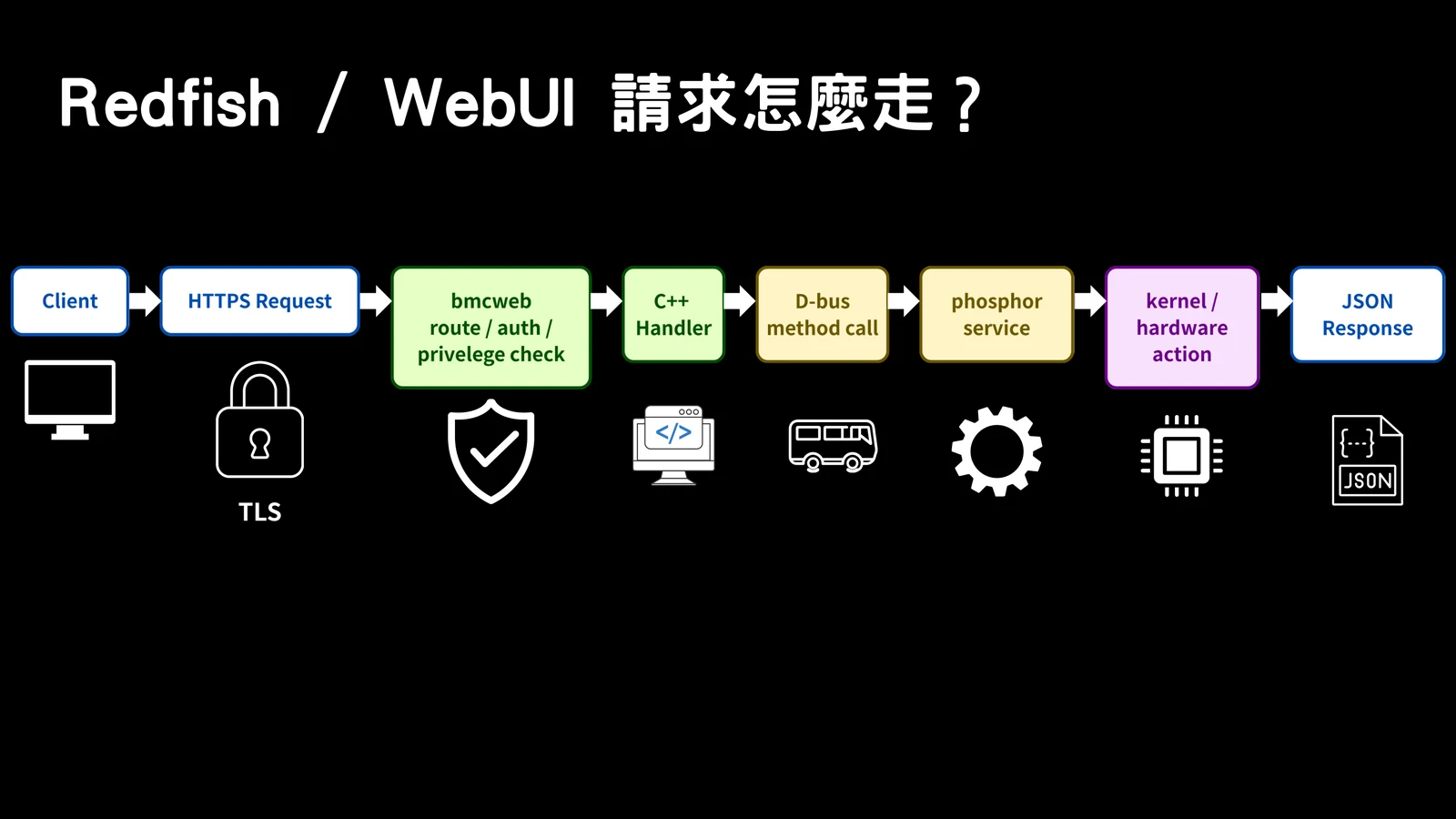
For Redfish and WebUI, bmcweb is the critical gatekeeper. It terminates HTTPS, parses HTTP, handles sessions or credentials, maps routes, and talks to internal services.
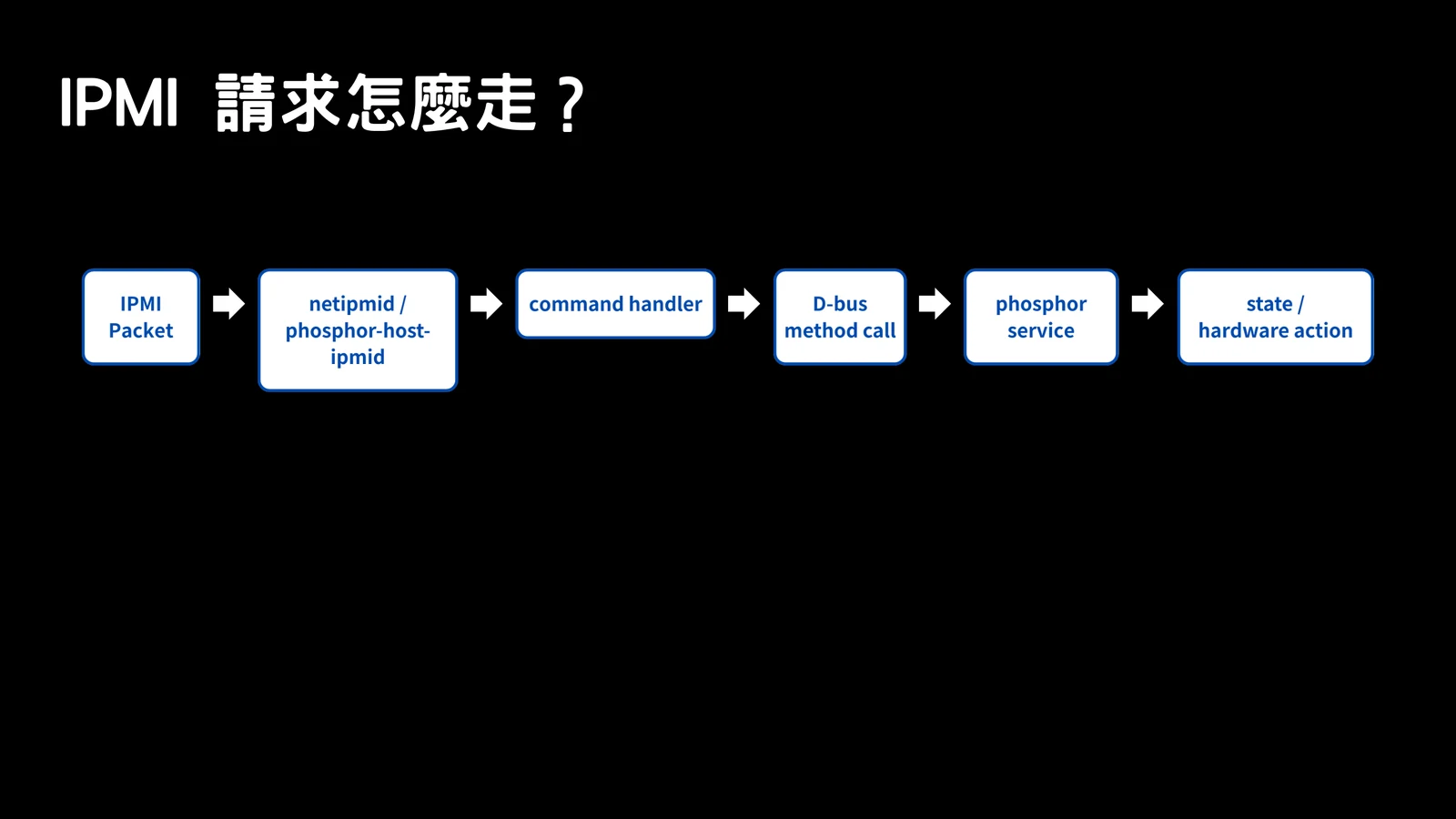
For IPMI, the request shape is different, but the security questions are similar: who parses it, what command is selected, what internal state changes, and whether the BMC should allow it.
Sensor and inventory flows are also worth seeing visually:
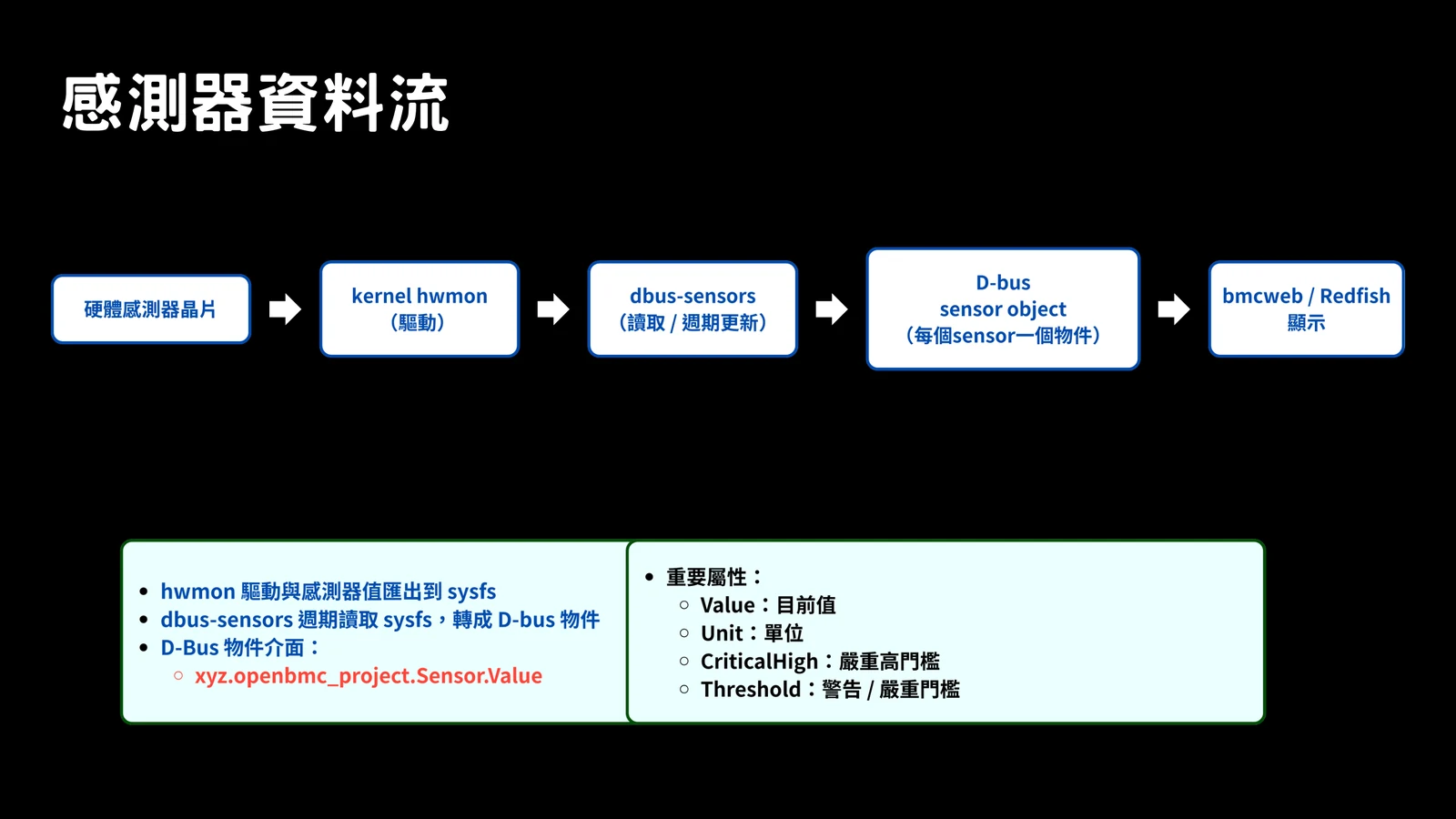
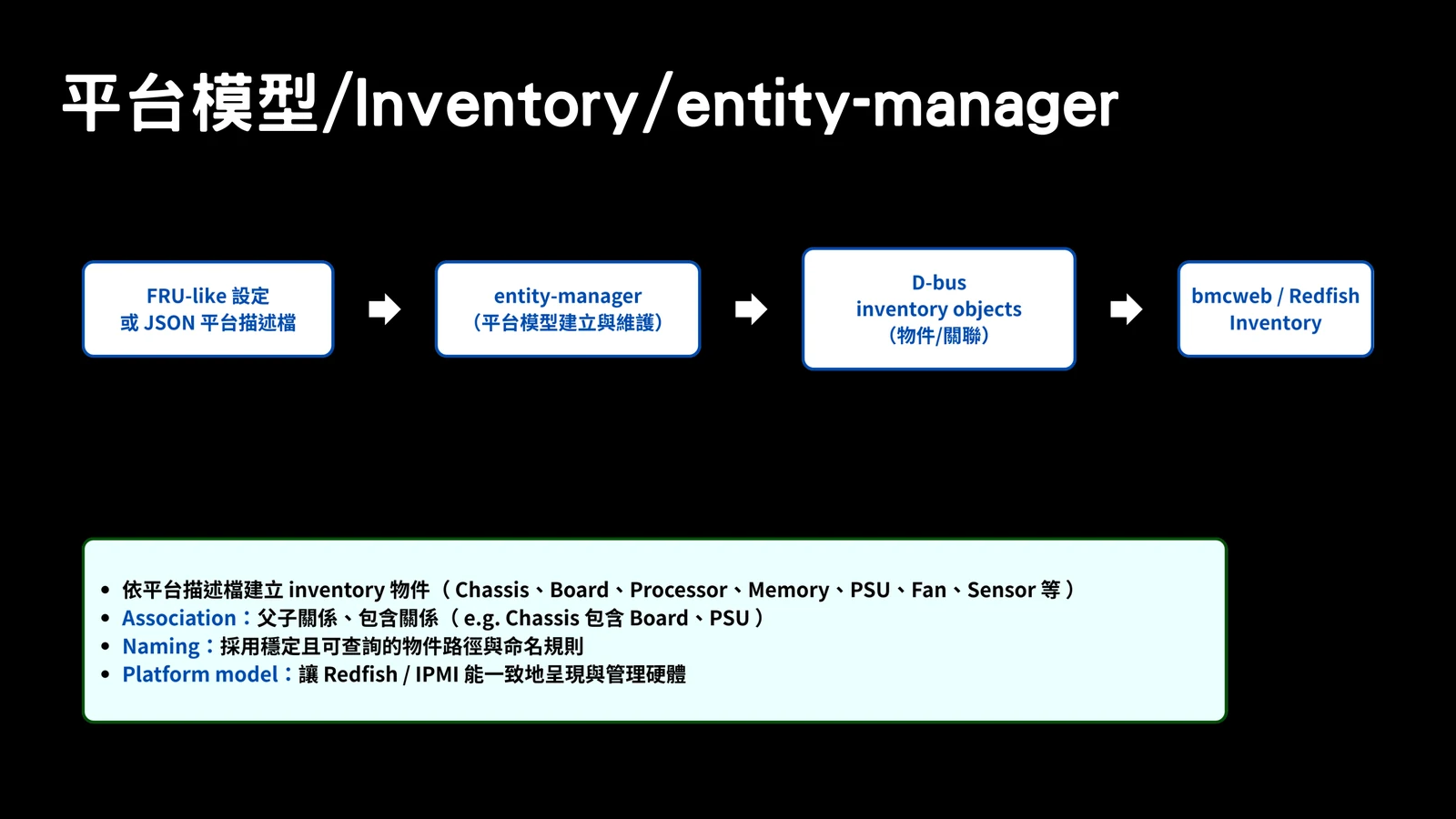
And the same goes for power and logging:
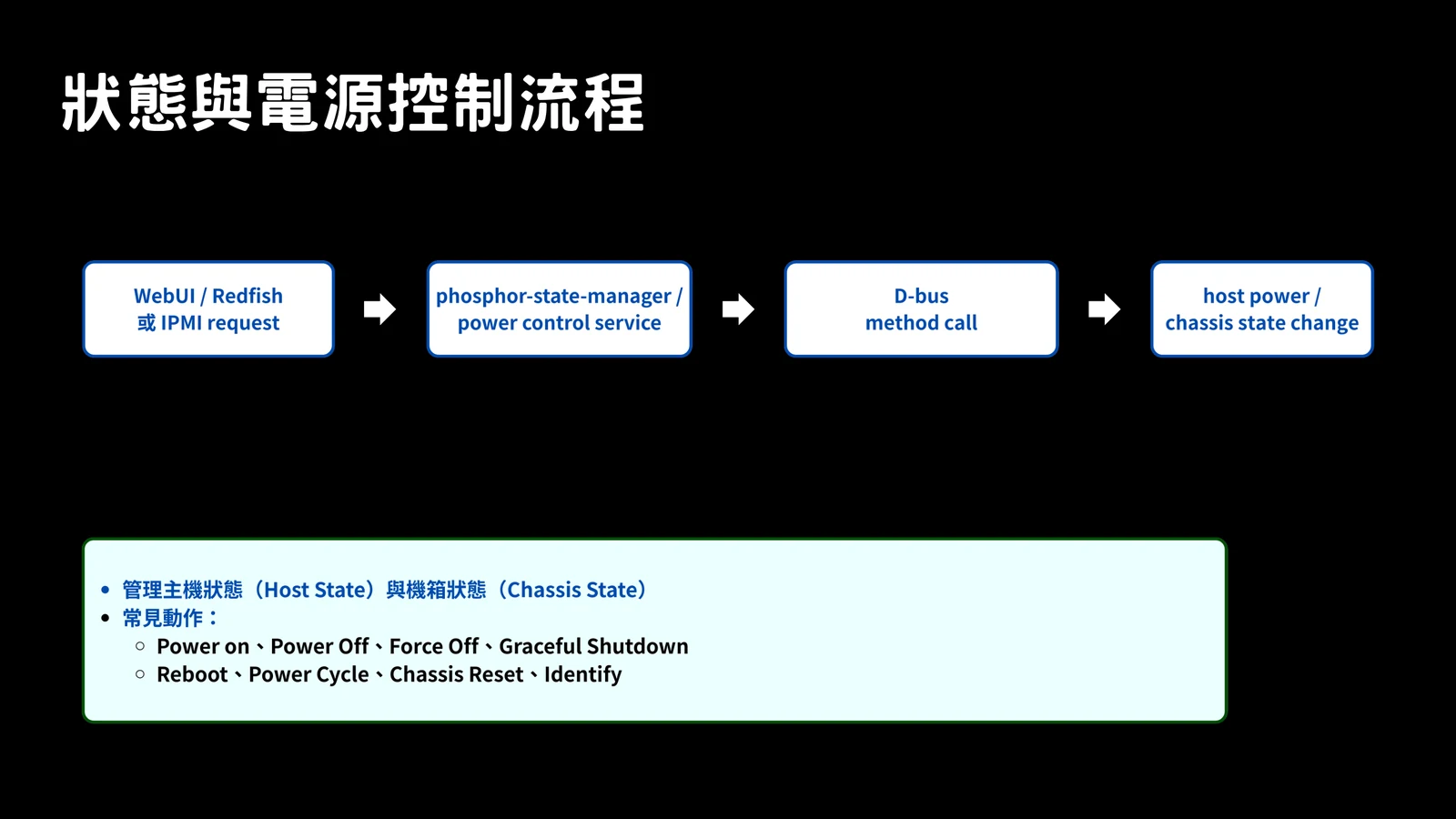
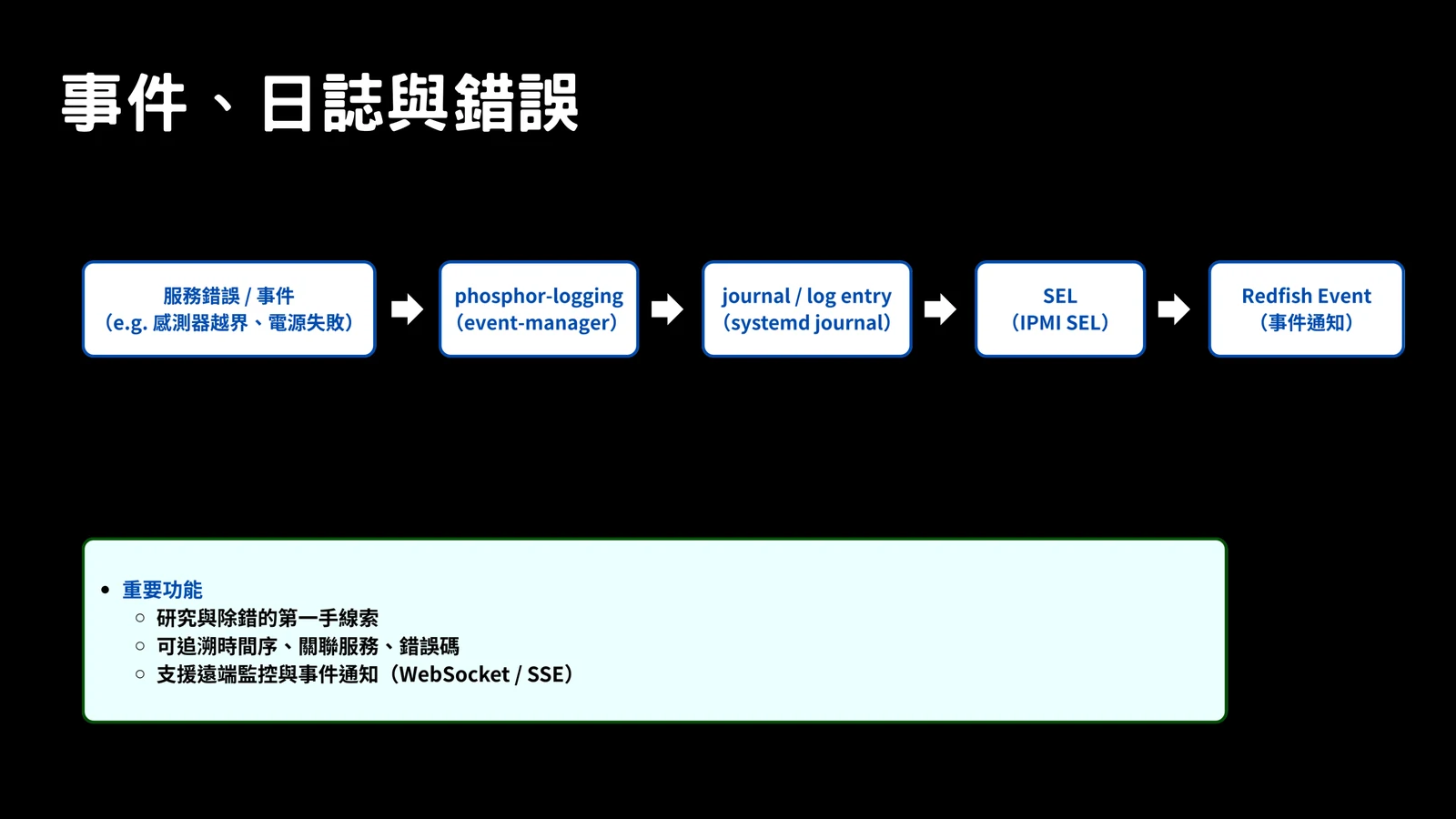
These flows are why BMC security feels different from normal backend security. A method call may not just update a row in a database. It may change fan behavior, power state, firmware state, or host visibility.
Kernel And Hardware
Below userspace, OpenBMC is still Linux. That means normal kernel and driver concerns are in play, but the devices are very BMC-specific.
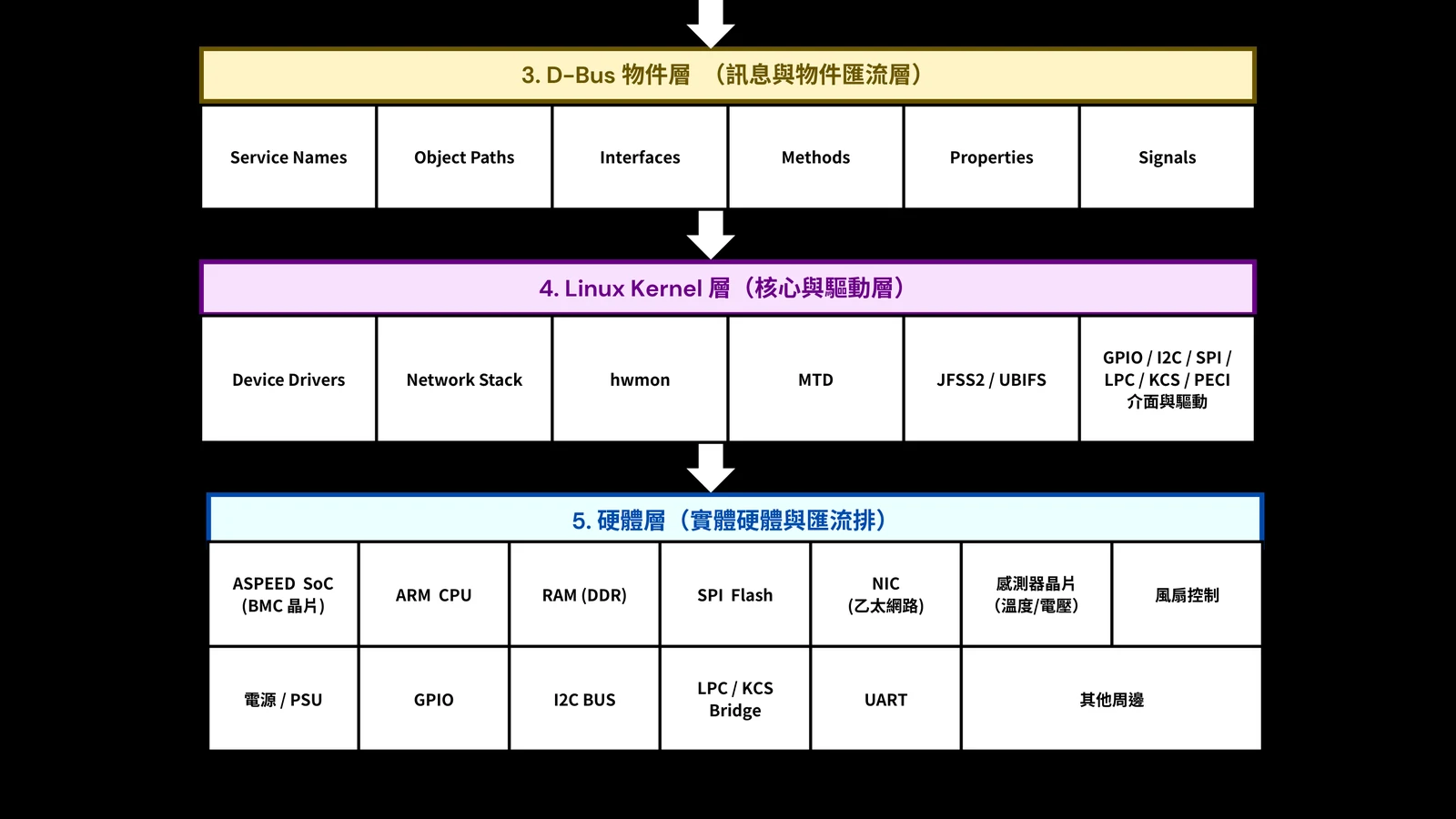
This layer is why “just a management controller” is a dangerous phrase. The BMC has access to flash, sensors, GPIO, I2C, LPC/KCS, and other platform paths. The host OS may be off, crashed, or compromised, but the BMC can still be alive and reachable.
Debugging The System
If I had to pick one habit for OpenBMC research, it would be this: watch D-Bus and service logs while sending external requests.
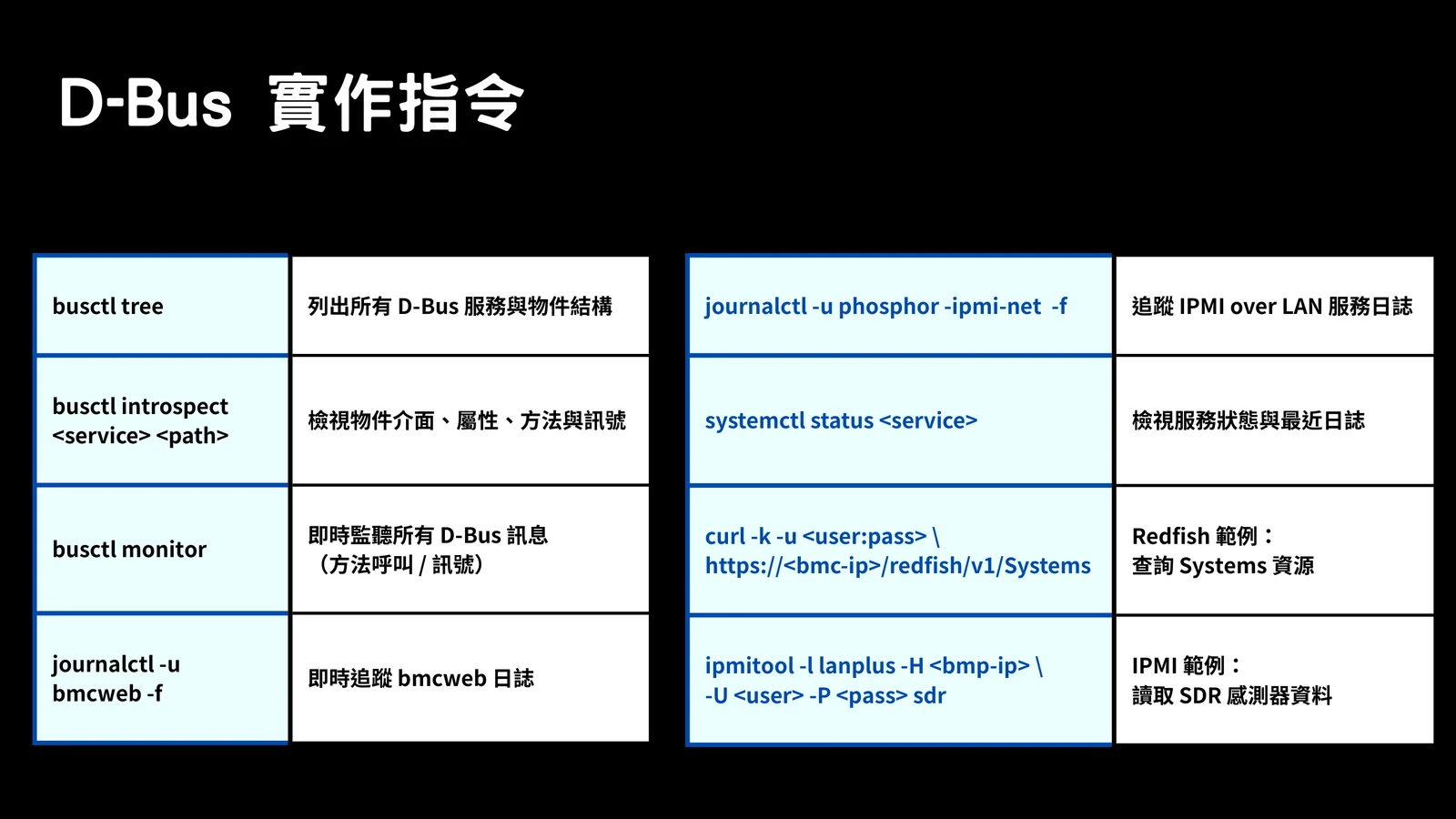
List the D-Bus service and object tree:
busctl treeInspect a specific object:
busctl introspect <service> <path>Monitor live D-Bus calls and signals:
busctl monitorFollow bmcweb logs while testing Redfish or WebUI behavior:
journalctl -u bmcweb -fFollow IPMI over LAN logs:
journalctl -u phosphor-ipmi-net -fQuery Redfish:
curl -k -u <user:pass> https://<bmc-ip>/redfish/v1/SystemsQuery IPMI sensor data:
ipmitool -I lanplus -H <bmc-ip> -U <user> -P <pass> sdrOnce these commands become familiar, OpenBMC stops being a black box.
Building A Lab
For vulnerability analysis, I do not want to test on production BMCs. A QEMU OpenBMC target is slower and less realistic than hardware, but it is repeatable and much safer.
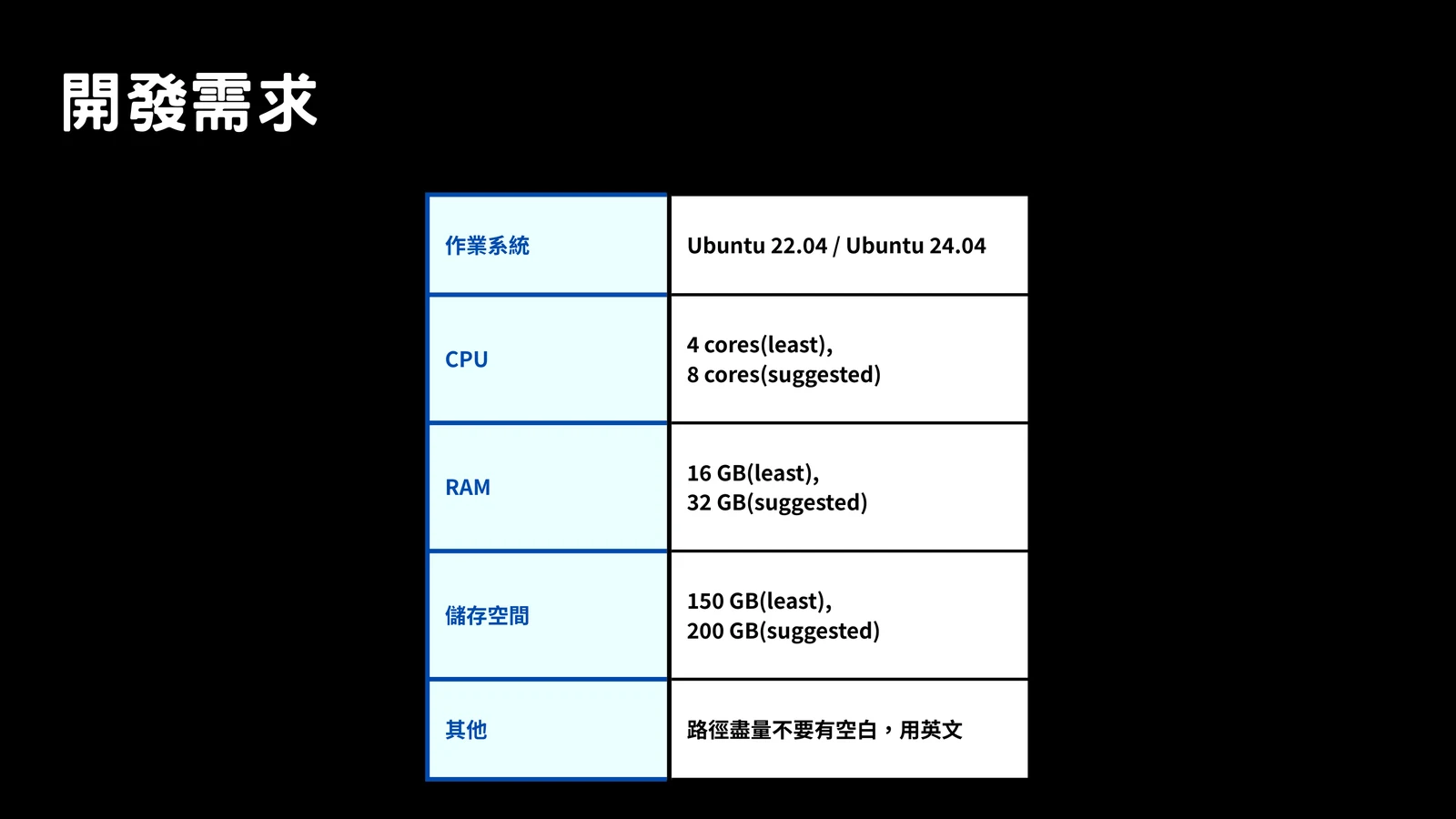
The slide recommends:
| Requirement | Minimum | Suggested |
|---|---|---|
| OS | Ubuntu 22.04 or 24.04 | Ubuntu 22.04 or 24.04 |
| CPU | 4 cores | 8 cores |
| RAM | 16 GB | 32 GB |
| Disk | 150 GB | 200 GB |
| Path hygiene | English path, no spaces | English path, no spaces |
The setup commands are straightforward, but the build can take a while:
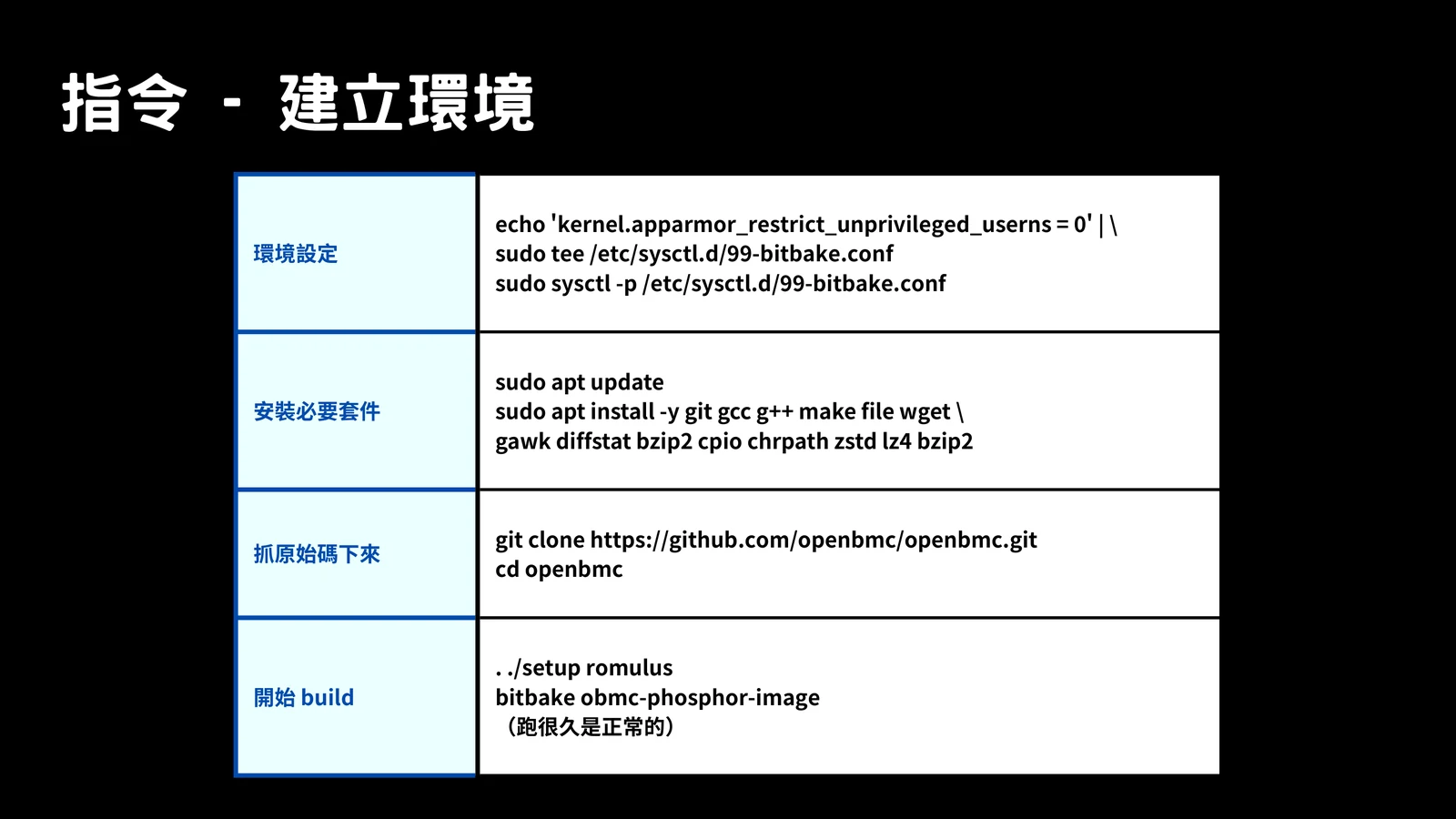
echo 'kernel.apparmor_restrict_unprivileged_userns = 0' | \
  sudo tee /etc/sysctl.d/99-bitbake.conf
sudo sysctl -p /etc/sysctl.d/99-bitbake.conf
sudo apt update
sudo apt install -y git gcc g++ make file wget \
gawk diffstat bzip2 cpio chrpath zstd lz4git clone https://github.com/openbmc/openbmc.git
cd openbmc
. ./setup romulus
bitbake obmc-phosphor-imageThe QEMU run script forwards common BMC services to local ports:
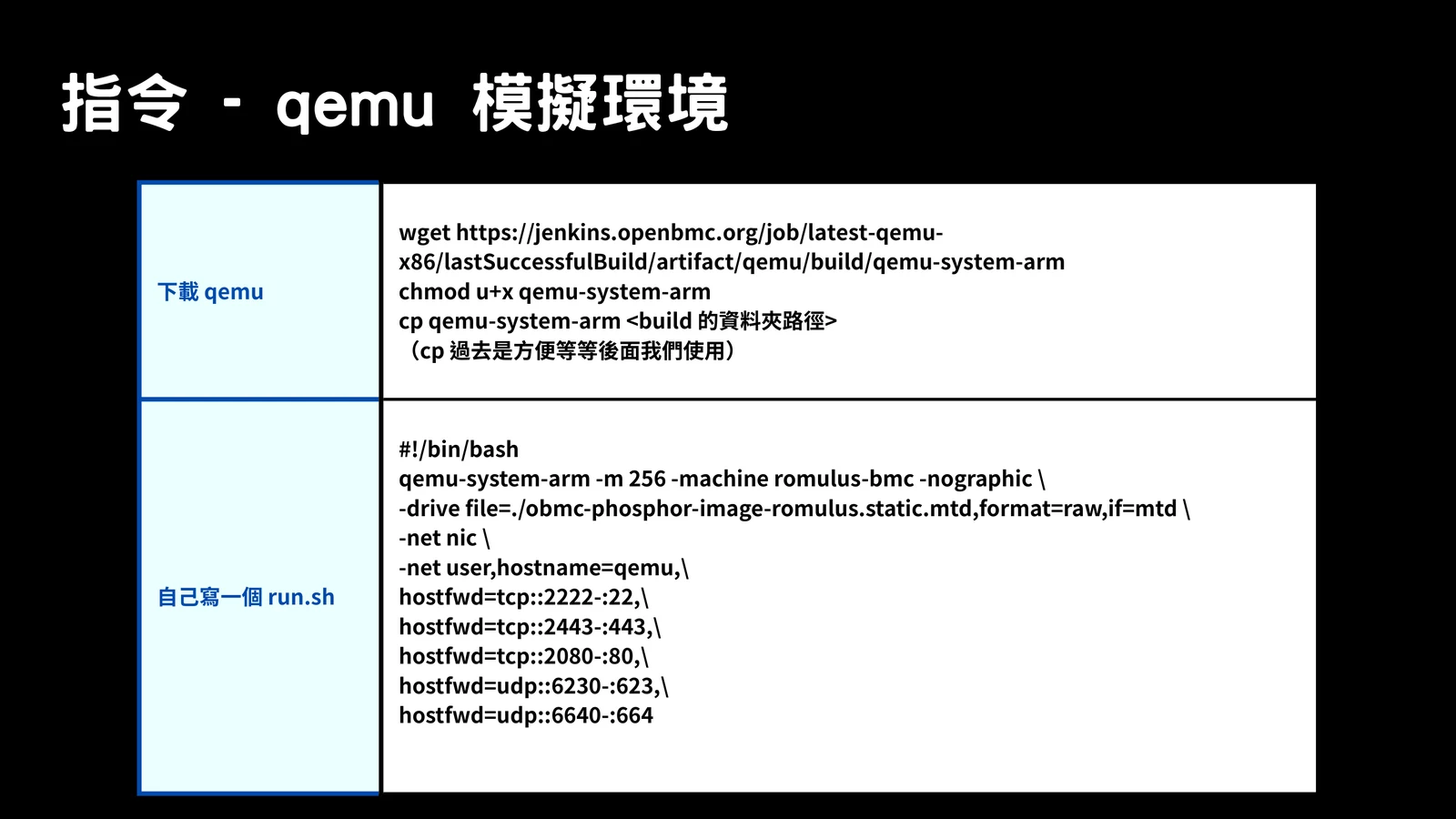
qemu-system-arm -m 256 -machine romulus-bmc -nographic \
  -drive file=./obmc-phosphor-image-romulus.static.mtd,format=raw,if=mtd \
  -net nic \
  -net user,hostname=qemu,\
hostfwd=tcp::2222-:22,\
hostfwd=tcp::2443-:443,\
hostfwd=tcp::2080-:80,\
hostfwd=udp::6230-:623,\
hostfwd=udp::6640-:664
This gives us a place to reproduce crashes, watch logs, compare patches, and reset the environment when things break.
Takeaways
The main thing I want to keep in mind before moving into the CVEs is this: OpenBMC is a management operating system, not a single service. Redfish, IPMI, SSH, KVM, and SOL are not just random ports. They are entrances into a control plane that can eventually touch platform services, firmware state, power state, and hardware buses.
So when I review an OpenBMC bug, I try not to stop at “which endpoint is vulnerable?” I want to know where the request goes next, which service owns the object, and whether the boundary is still safe after parsing. That mindset is what makes the next two parser bugs much easier to reason about.
In the next part, we will use this map to look at bmcweb multipart parsing bugs.